> ## Documentation Index
> Fetch the complete documentation index at: https://help.play.hosting/llms.txt
> Use this file to discover all available pages before exploring further.
# Installing voice chat
The [Simple Voice Chat](https://modrinth.com/plugin/simple-voice-chat) mod/plugin lets your players talk through in-game proximity voice chat. It's fully secure, fun to use and easy to install via the Modrinth App/similar on you and your friends' computers.
Make sure the players who want to use voice chat have the mod installed on
their clients - there'll be guides online for this, and can be done easily
using the [Modrinth App](https://modrinth.com/app)
## Installing
### Plugin-Based Server
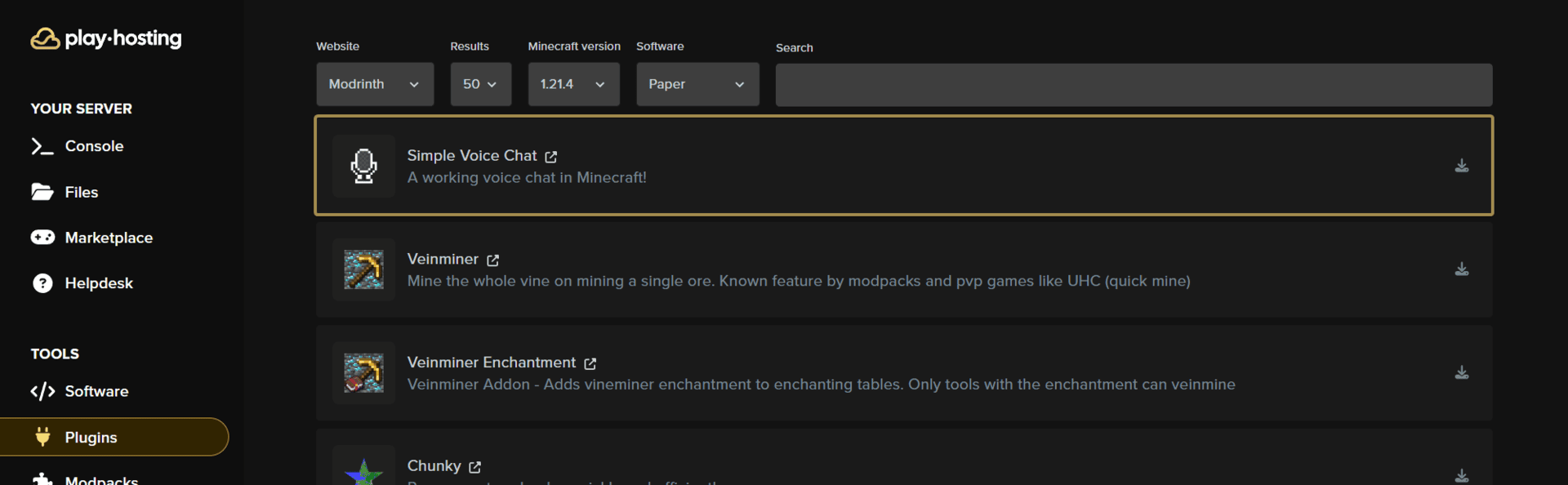
If you're running Paper or a plugin-based server version (recommended - can be changed via **Software** tab), just go to the **Plugins** tab and install **Simple Voice Chat** from the list by pressing the download icon on the right, and then the **Install** button.
 ### Modded Server
If running a modded server version like Forge or Fabric, download the mod from [Modrinth](https://modrinth.com/plugin/simple-voice-chat/versions?c=release) and place it in the `mods` folder of your server, via the **Files** tab.
## Setup
Once you have the plugin/mod installed, you just need to start your server! The panel will automatically handle all configuration for you.
You can now join your server with the Simple Voice Chat mod and enjoy proximity chat with your friends. 🎉
### Modded Server
If running a modded server version like Forge or Fabric, download the mod from [Modrinth](https://modrinth.com/plugin/simple-voice-chat/versions?c=release) and place it in the `mods` folder of your server, via the **Files** tab.
## Setup
Once you have the plugin/mod installed, you just need to start your server! The panel will automatically handle all configuration for you.
You can now join your server with the Simple Voice Chat mod and enjoy proximity chat with your friends. 🎉