> ## Documentation Index
> Fetch the complete documentation index at: https://help.play.hosting/llms.txt
> Use this file to discover all available pages before exploring further.
# Enabling crossplay
There are currently issues with UDP ports causing mods/plugins such as
Geyser/Floodgate to not work for some servers! You can join
[our Discord](https://play.hosting/discord) to keep up-to-date on fixes.
It's now possible to let Bedrock players join your Minecraft: Java Edition server, and supports practically full feature parity between the platforms. Note this will only work for non-modded servers, such as the Paper server software, as Bedrock doesn't
support running mods.
First, select the **Software** tab in the sidebar when viewing your server, then **Paper**, followed by the version you want to install - likely the latest if you want Bedrock players to be able to join smoothly. You should see a popup, where you can choose to enable crossplay. Click on this, then **Install**.
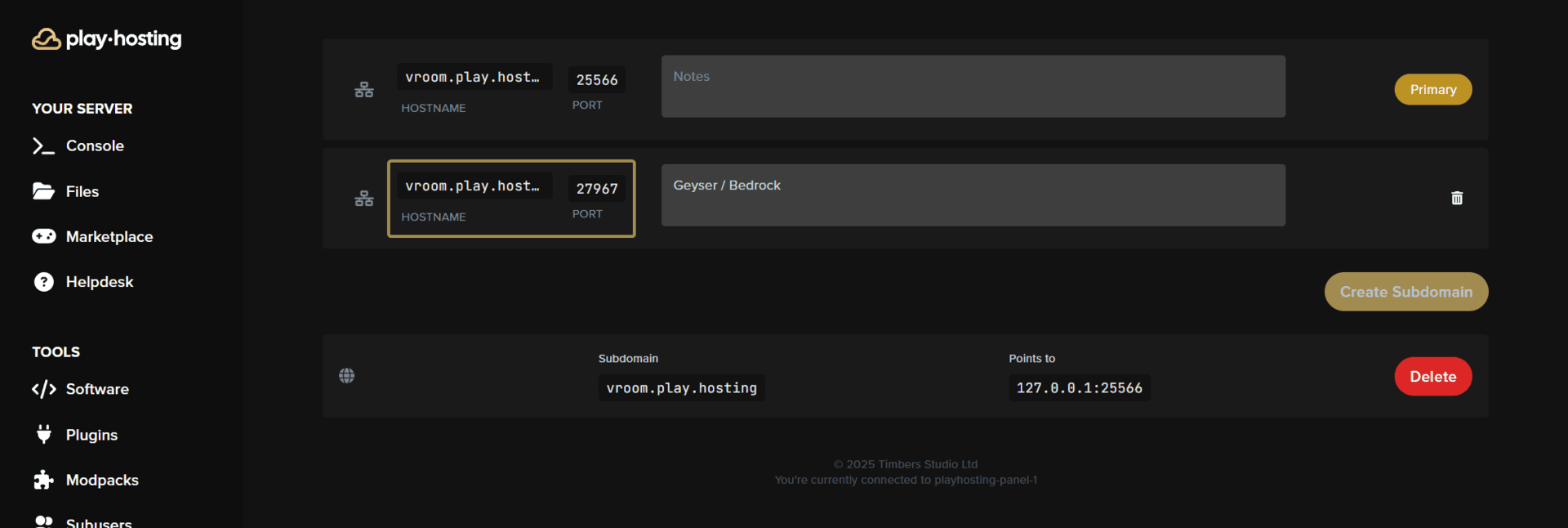
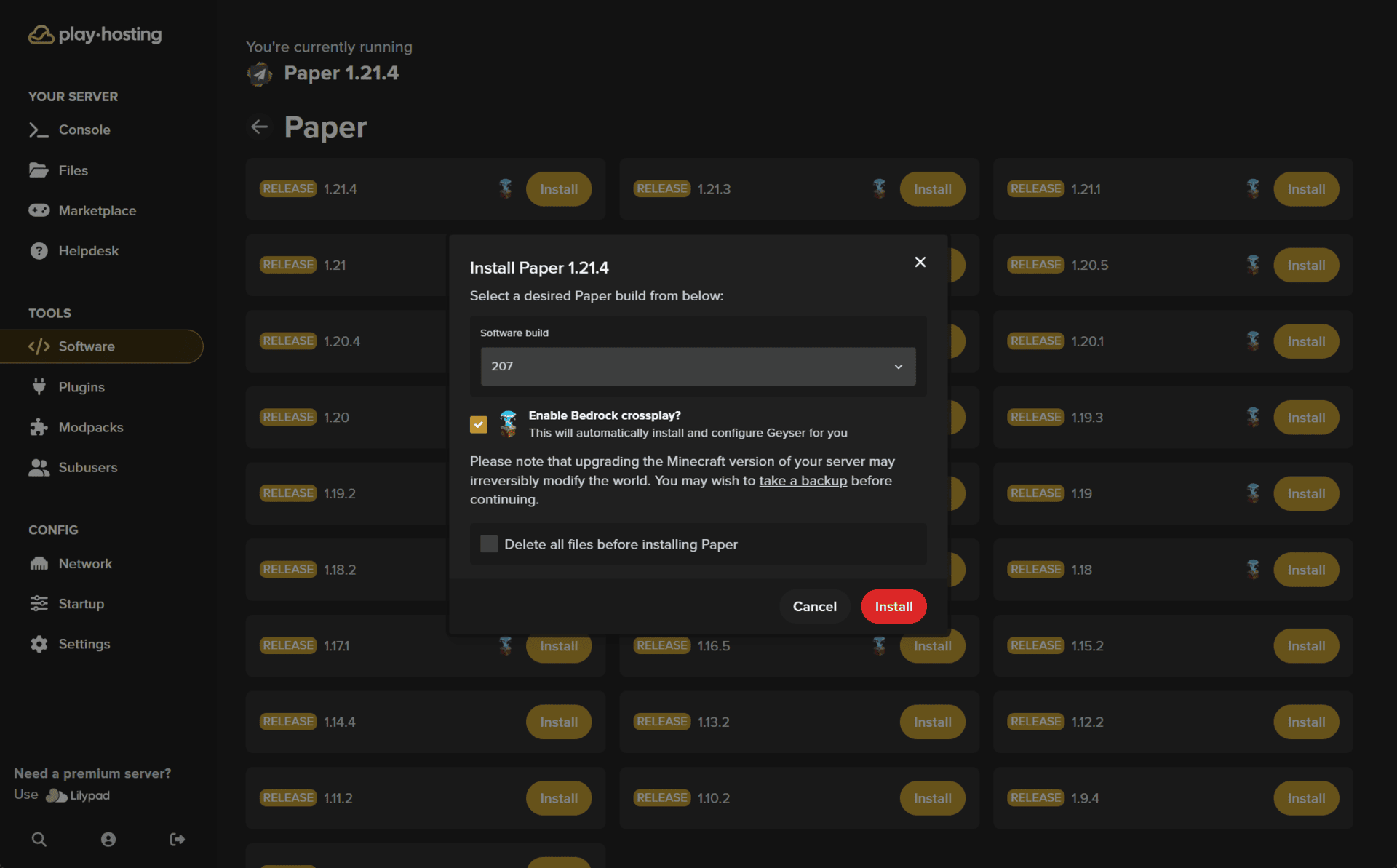 Crossplay should now be configured on your server! If you head to the **Network** tab of your server, you'll see the address and port your players need to use when connecting via Bedrock:
 If you have a whitelist enabled on your server, you can add Bedrock players to
it with the command `fwhitelist add ` followed by their Bedrock username
If you have a whitelist enabled on your server, you can add Bedrock players to
it with the command `fwhitelist add ` followed by their Bedrock username